Command-Line Tools
Firefly QSL has two scripts for administrators with shell access to the server. Run them from the application directory. Neither is needed on a hosting account without shell access.
check_install.php
check_install.php checks that the server is ready to run Firefly QSL:
php check_install.php
It reports, in order:
- the required PHP extensions:
PDO,pdo_mysql,imagick,pcre,date - whether
config.phphas a syntax error and whether it loads - whether the database connects and the
card_layoutstable exists - whether the
templatesdirectory is writable - whether the single-QSO and multi-QSO cards are set up and their images can be read
- every font ImageMagick can use, which is the list the Card Designer offers
The check stops at the first problem it can't get past. The output is HTML, so it is easiest to read in a browser.
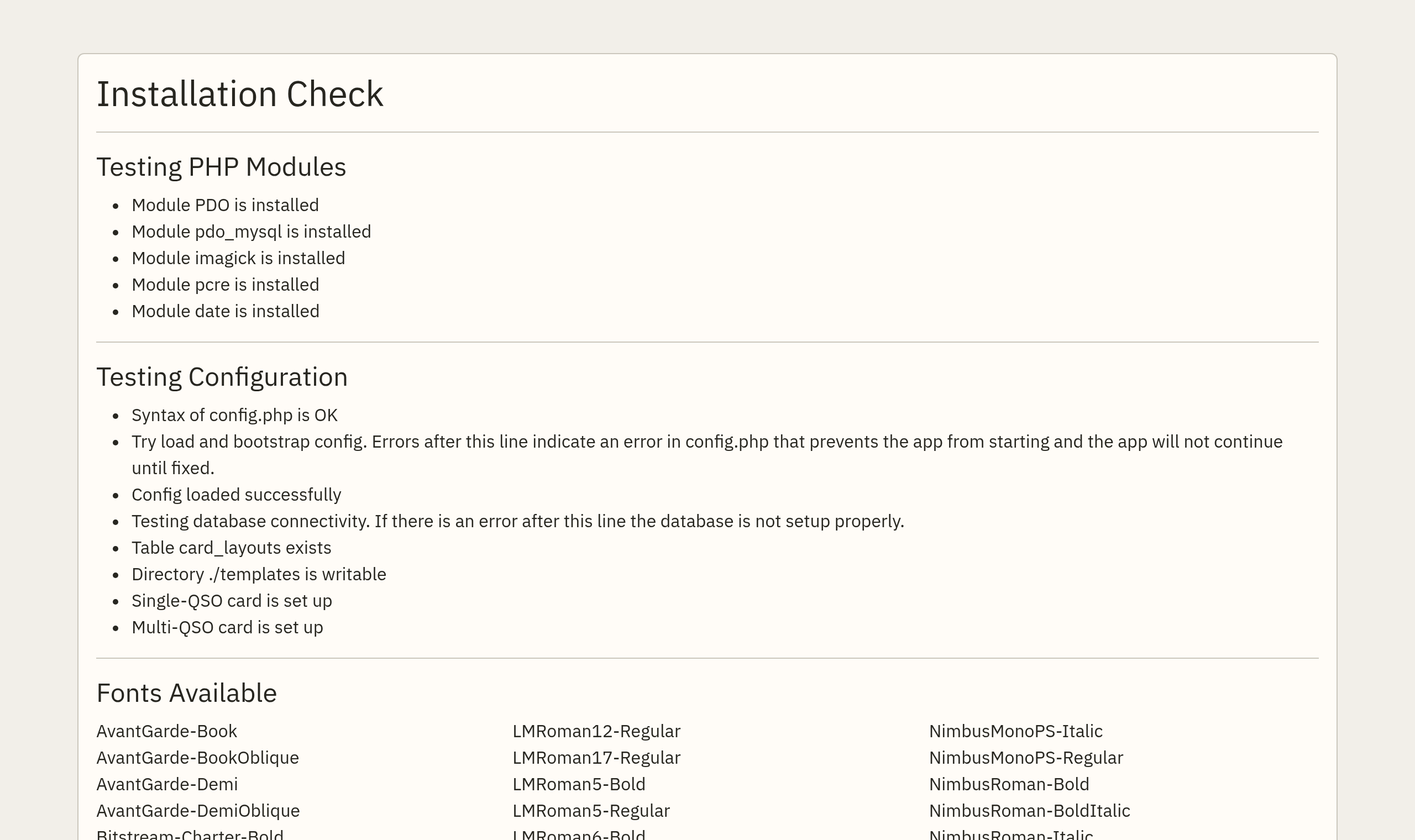
Running It in a Browser
A logged-in user can open https://example.com/qsl/check_install.php at
any time. To use it before you can log in, for example while the
database is not working yet, set this in the configuration:
$install_check_enabled = true;
Warning
The check shows server details to anyone who opens it. Set
$install_check_enabled back to false as soon as you are done.
qsladifloader-cli.php
qsladifloader-cli.php loads an ADIF file from the command line. It does
the same as the web loader, without the review step, and is
not limited by PHP's upload size. Use it for very large logs.
php qsladifloader-cli.php -c CALLSIGN -f FILE.adi -l "QTH / location"
| Option | Meaning |
|---|---|
-c |
The station callsign the QSOs were made under |
-f |
The ADIF file to load |
-l |
The operating location printed on the cards as the QTH |
All three options are required. For example:
php qsladifloader-cli.php -c Q1ABC -f fieldday.adi -l "Medina County, OH"
The script prints each QSO as it loads it, then the total. If any QSO can't be saved, none of them are.
Note
The script only runs from the command line. The web server refuses to serve it.